
I am always on time. In fact, I prefer to be early and take a book with me than to leave someone waiting.
If I’m the one left waiting, I don’t really mind, because I probably have a book on me and I’m probably already waiting, after all, I was there early. I’m used to waiting because people are often late, but not me, I have tools.
Calendars, alarms and tasks apps were always available, but those are three apps and I have only one need: to be on time. I built Tramo to fulfill my own need, but I made it with enough options to fill the needs of others as well so they won’t be too late in case I happen to finish my book and have nothing else in hand to read.
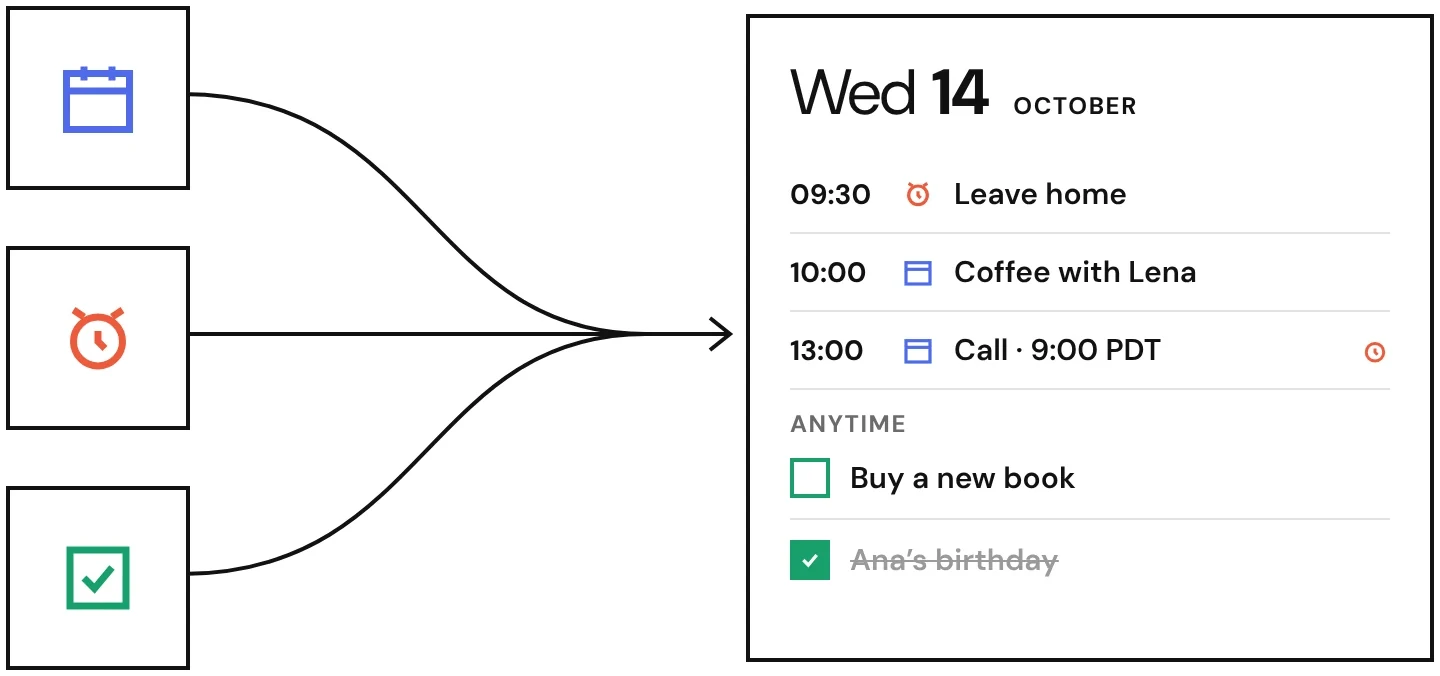
There was a lot to be fixed. What I needed was either scattered between three or more apps or hidden behind gamified user journeys and pop-ups about how I am feeling today. Calendars notifications aren’t loud enough for when I don’t have my phone in front of me. Alarms have to be set and also turned off if I won’t need them that day. Tasks don’t show up in my calendar, and if they do, I don’t have an easy way to take them off once I’m done with them.
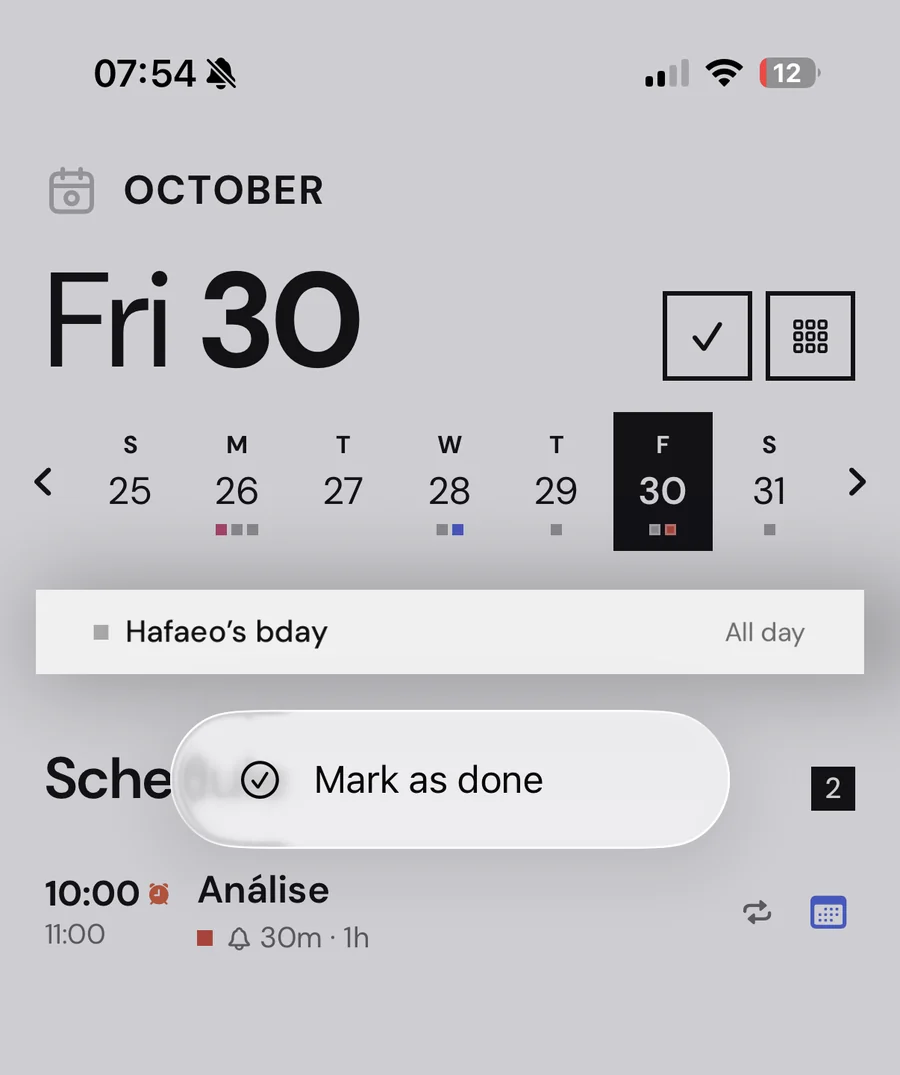
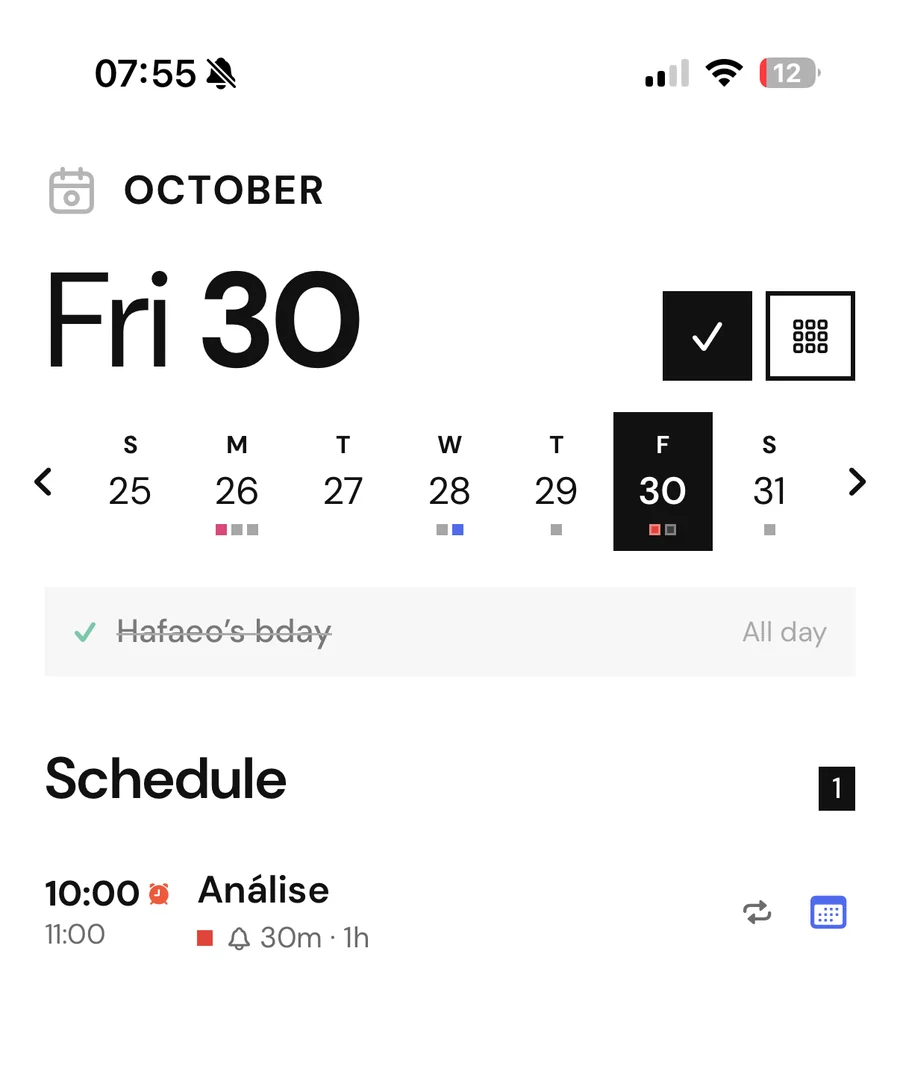
In this sense, birthdays are the worst. They show up on a certain date and will stay there even after I’ve already wished my dear one happy birthday, which is terrible because if I have too much stuff on my view, it becomes noise and I stop paying attention. If I stop paying attention, I might miss something and I can’t miss important things, so I need to be able to have it show up and to also mark it as done if I don’t need it anymore. In short, I need everything in my view and I need to be able to take it off my view before it turns into noise and ruins the whole plan. I like my tools perfect, don’t you?
There was once a time when I would complain about it, but there would be nothing that could be done except for maybe buy another paper planner and make it work. Those times are gone. I did buy that planner just in case, but I used it to list all the things that would make the perfect agenda app. One agenda app to rule them all, as they say.
- 1
Events can have alarms, not just notifications
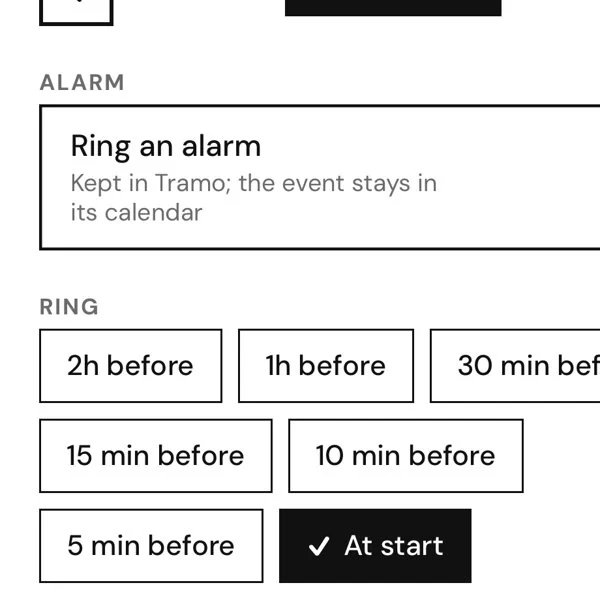
Fig. 4 The alarm inside an event: when it rings - 2
Entries in the calendars can be saved as tasks
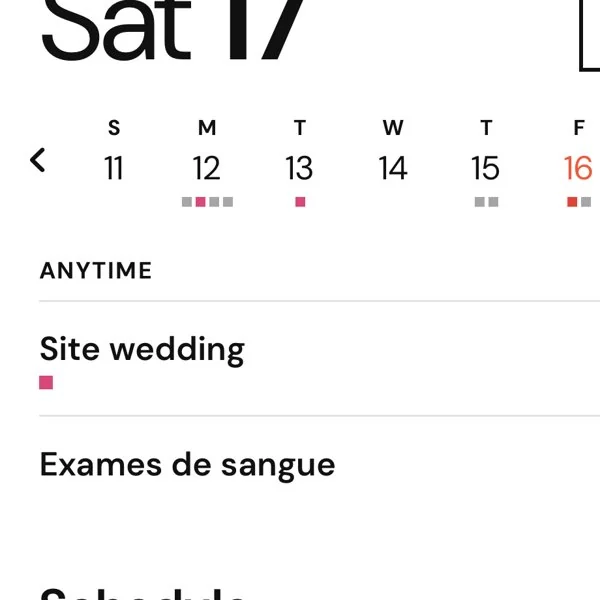
Fig. 5 Tasks on the timeline, next to the events - 3
Anything can be marked as done for the day
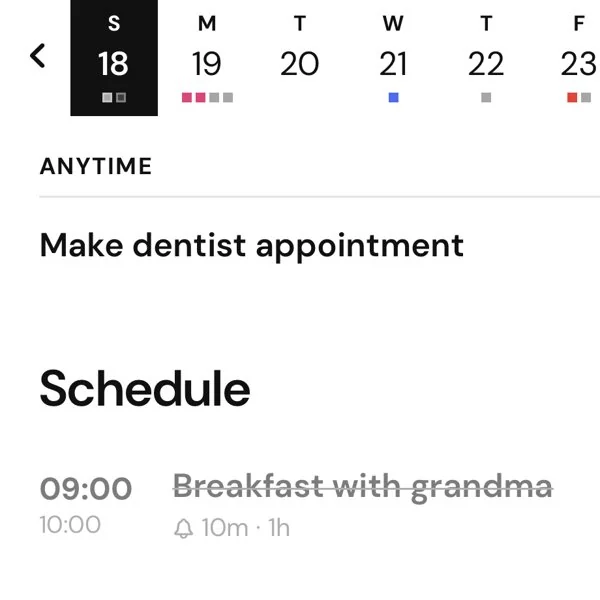
Fig. 6 Done: the item struck through, on its way out of view - 4
I can have as many notifications and alarms as I want for any given event or task
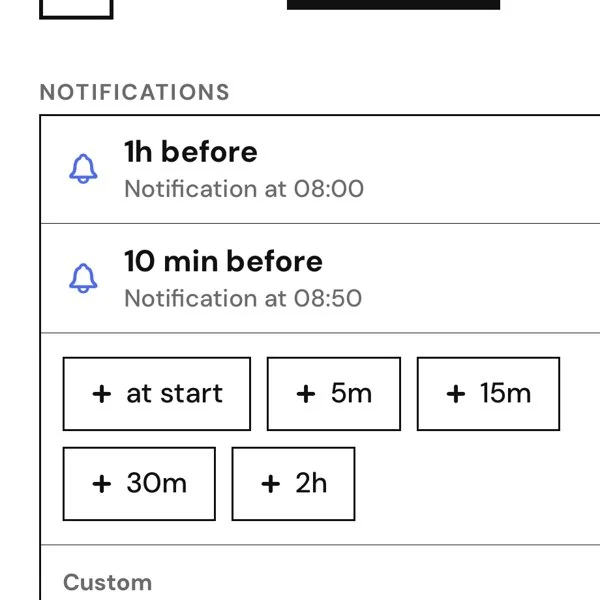
Fig. 7 An event with several notifications and an alarm - 5
Unresolved tasks from the day before can be rescheduled
- 6
Widgets will show only what matters to me
- 7
Live Activities can be customized to show up when it best suits me
- 8
It connects to all my calendars, of course
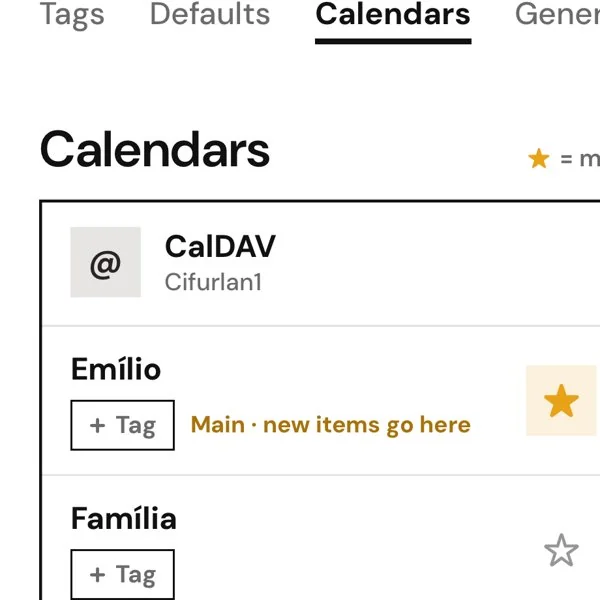
Fig. 8 The calendar list in Options - 9
Since we’re here, why not be able to also add entries in a different time zone and have it translate to mine for me
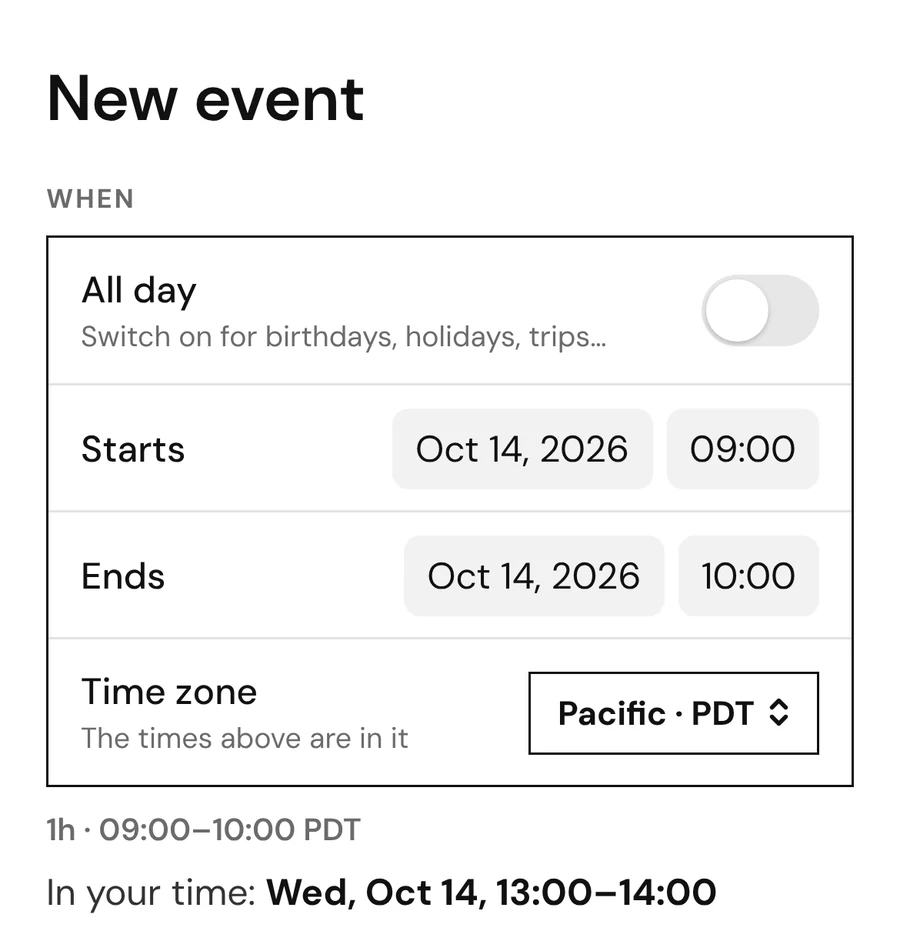
Fig. 9 A meeting in another time zone, in yours - 10
Most importantly, anything I discover that I need, what is working, what isn’t, what I’m missing and what’s in the way, anything can be adjusted on the go by my faithful and noble assistant, Claudy, the AI.
Tramo runs on iPhone and Android, in English and Portuguese. You don’t need an account: your events stay in your own calendars, and everything else stays on your phone. If you want the same tasks and alarms on more than one device, you can sign in with your email and they sync. No ads, no tracking, and no pop-ups asking how you feel today.
A few hours after I first had the idea for the app it was already up and running. A couple more days and I was finally happy with its interface. By the end of the week it was being tested as a final product. Feedback is being collected as we speak (October 2026) and it will soon be ready to launch.
- A few hours after the idea
First native version, on iPhone and Android, with the T-on-its-side icon.
Fig. 10 Day one’s icon Widgets, and alarms inside events.
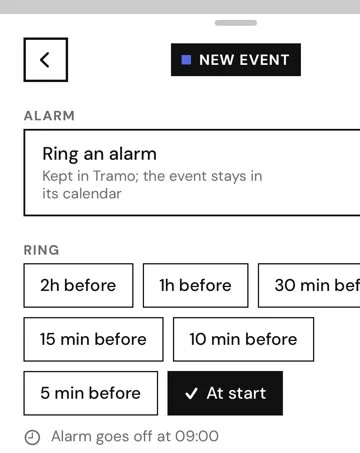
Fig. 11 An event’s alarm - A couple more days
A simpler first screen, big titles with tighter spacing, a form at thumb height.
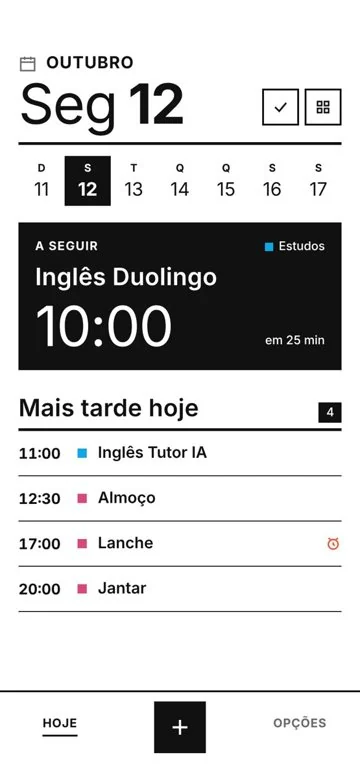
Fig. 12 Today, before the glass The place becomes a Maps or call link; guests.
- Happy with the interface
A new icon and the glass redesign.
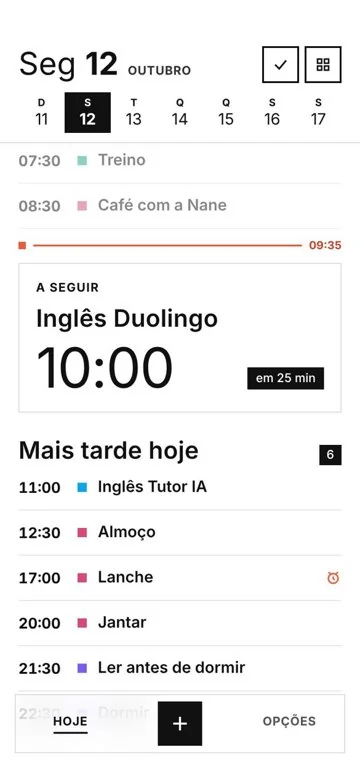
Fig. 13 Today, with a glass frame - Tested as a final product
Language in the app, and events in another time zone.
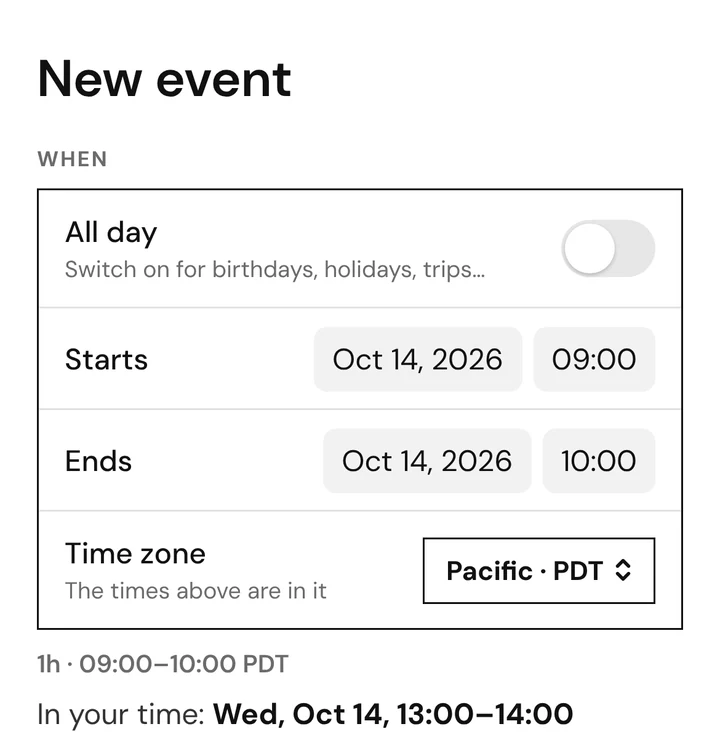
Fig. 14 Time zone
Concrete content, a glass frame
The first interface was black on white, square and heavy with rules. It felt too concrete for people used to the glass of their phones, so the content stayed solid and only the frame around it became glass. Taking away the black rules did more for lightness than any blur.
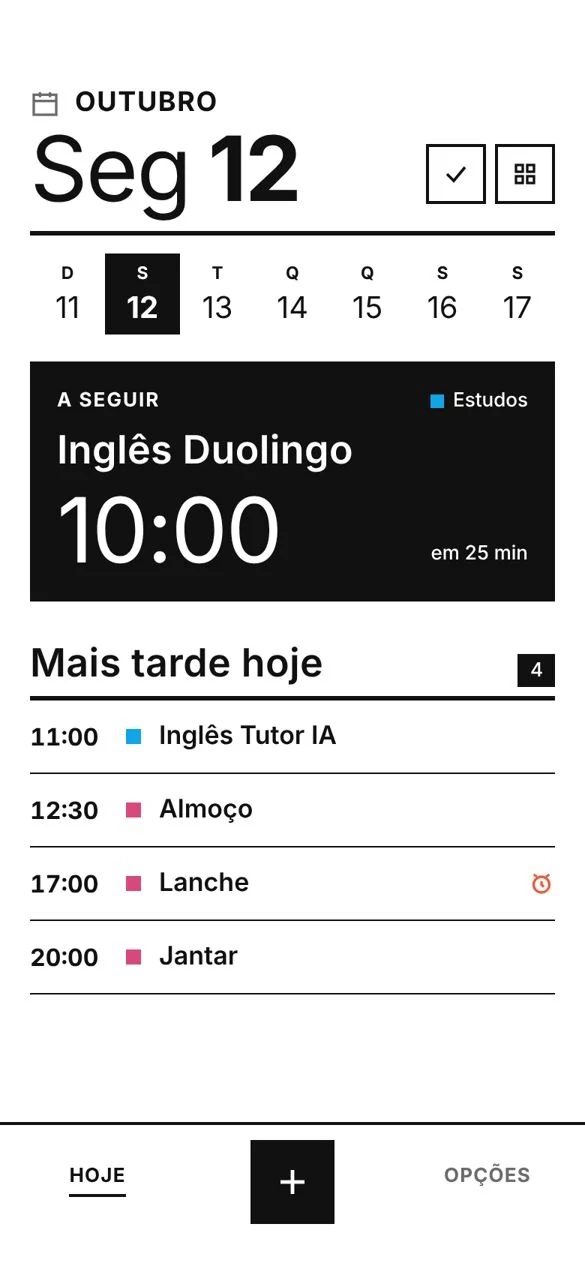
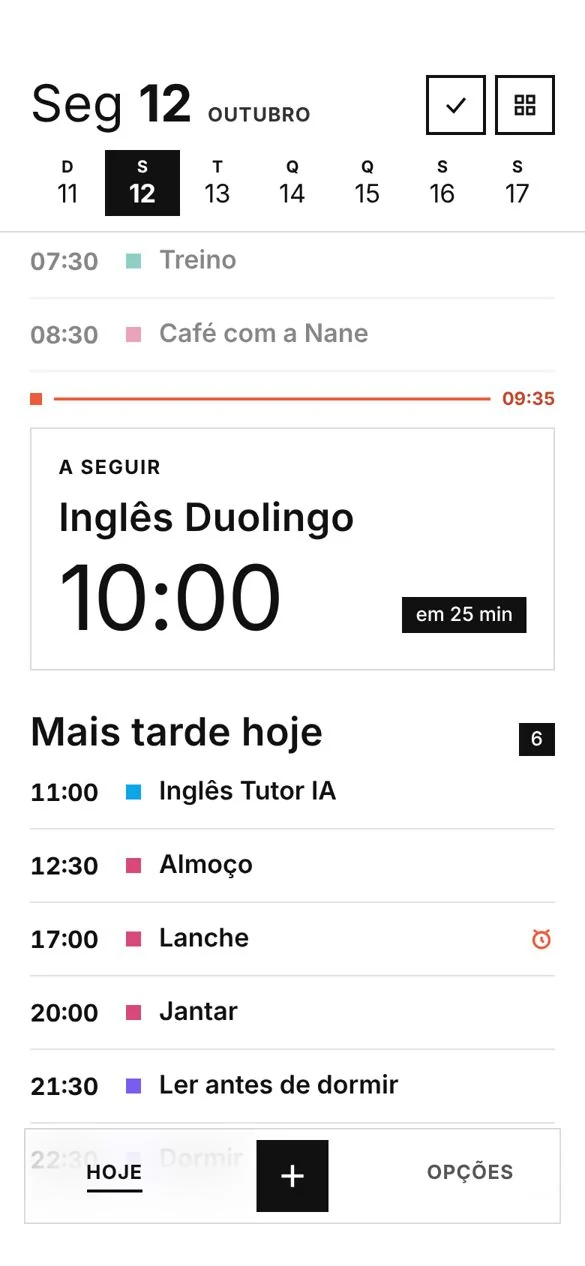
What I decided
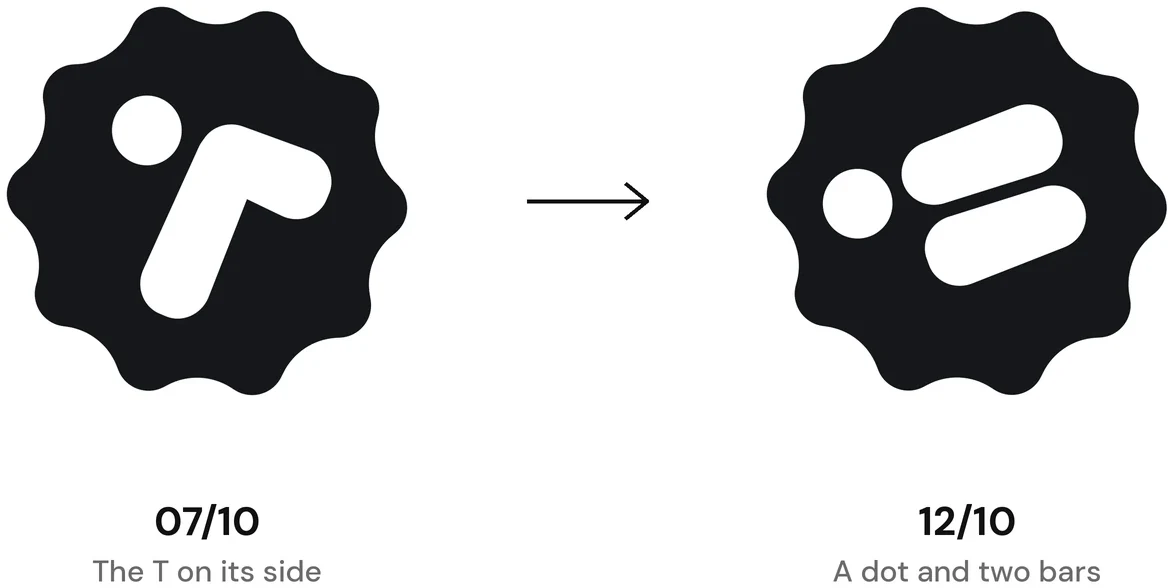
Claude wrote the code, but every call was mine. The app was born as Next Up, a name half the App Store already had, so it became Tramo, Spanish for a stretch of road. Its first icon, a T lying on its side, looked like the logo of a sports shop, so I drew a new one: a dot and two bars. I moved the new event form down the screen so my thumb could reach the title without a stretch. Every detail you see was a decision, most of them made with the phone in my hand, on my way somewhere, early.
Building a product at this pace was unimaginable when I was in college (which can be from 2 to 20 years ago, you have no way of knowing other than reading my resumé). I won’t say anyone can do it, because I did learn a lot in this process and I only got this far because I already knew a lot to begin with, but more people can do it than ever before. This is not more exciting than everything else that was exciting at their respective times, but it is exciting nevertheless. Being able to create a solution for our modern days problems in such short time is priceless (Claude’s Max plan is around $100/mo, though).
Tramo will be on the App Store and Google Play soon. If you want to try it before that, write to me.

